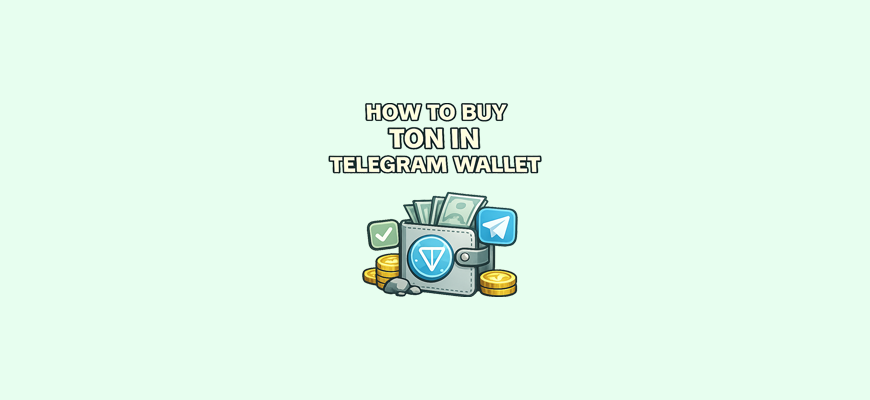
If you have ever paid for coffee with your phone, you already know how nice it feels when the world shrinks down to one tap. Buying TON in the Telegram wallet feels about the same, like your favorite messenger suddenly opened a mini checkout from the future. You scroll through chats with friends, and your own digital currency is just two taps away. But simplicity can be scarier than complexity, right? That is why it is important to understand what is actually behind this “magic” button convenience.
How to buy TON in the Telegram wallet
To buy TON in Telegram means adding coins to your built in wallet using the official purchase feature. This option lives in the Wallet section, which is available to every Telegram user. In simple terms, you pay any comfortable amount with a bank card, and the coins arrive in your wallet almost instantly. This is one example of how real value is represented digitally — the same idea behind RWA (Real World Assets), where real-world assets are brought into crypto. To understand how crypto became possible in the first place, it helps to look back at who invented cryptocurrency and how it all started.
Example:
You tap Wallet, find the Buy button, choose an amount, complete the payment, and a few seconds later you see your updated TON balance. The process is almost as easy as topping up your phone or paying for an online order, except instead of a service you receive digital coins.
What you need to prepare before buying TON in Telegram
Before buying, make sure the wallet is already activated. Open Telegram and type Wallet or Wallet bot in the search. You will see the official bot with a blue checkmark. On your first visit, it will ask you to activate the wallet. After that, sections for storing and buying TON will appear.
To make a purchase, you will need a working bank card or another supported payment method. In different countries, available options may vary, but most often Visa, Mastercard, or local payment systems are accepted.
Also make sure you have a stable internet connection and that the app is working smoothly. If the connection drops, the payment may fail or get delayed. Update Telegram to avoid technical errors. All of this sounds simple, but it helps prevent unnecessary stress during the purchase.
Step by step guide: how to buy TON with a bank card
To buy TON with a card, open the Wallet in Telegram and tap the Buy button. A window will appear where you can choose the payment currency, the purchase amount, and the available payment systems. Enter a comfortable amount and check the final total you need to pay.
Next, enter your card details in the secure payment form and confirm the transaction. Confirmation usually happens via SMS or a push notification from your bank. After a successful payment, Telegram will show a message that the funds have been sent.
Once the purchase is complete, your TON balance updates automatically and you will see the new amount in your wallet. Sometimes this takes a few seconds. If everything went through correctly, a record of the transaction will appear in the History section, and you can review it anytime.
How to buy TON in Telegram using card checkout
This method allows you to buy TON through a built in card payment flow inside Telegram. You select an offer, complete the payment with your card, and the coins are credited to your wallet after the payment is confirmed.
To use this option, open the card purchase section in the wallet and choose an available offer based on price and limits. You will see clear conditions for each option, which helps you pick a safe and convenient choice.
After selecting an option, tap Buy and follow the payment instructions. Complete the card payment and confirm it. Once the payment is processed, TON will be credited to your balance automatically. This usually happens quickly, though in some cases it may take a few minutes.
How to make sure TON has arrived in your wallet
Your TON balance is displayed directly in your Telegram Wallet and shows the exact number of coins you hold. When TON arrives, you will usually see a notification at the top of the screen, similar to a regular Telegram message.
If there is no notification, open the wallet manually and refresh the page. In rare cases, coins appear with a short delay, especially when the network is busy, so give it a couple of minutes. You can also check the History section, where all deposits and withdrawals are listed.
What to do if the purchase did not go through
Sometimes a card payment can be declined if your bank blocks online transactions or if there are not enough funds on the card. A purchase can also fail if your internet connection is unstable or if there is an issue with the payment system.
In this situation, you can try again, restart the app, check your card balance, or choose another payment method. Using a different card often solves the problem if direct payments are blocked.
If the error repeats several times and you are sure everything is correct, contact Wallet support and describe the issue. The support team will help you sort it out.
How to safely store TON in the Telegram wallet
The most important part of storing TON is protecting your Telegram account, because access to the wallet is tied to it. Enable two step verification, set a strong password, and secure logins on other devices.
Never share login codes, SMS confirmations, or account details with anyone, even if they claim to be support. Real support will never ask for this information. Enable fingerprint or Face ID protection in Telegram if available, it adds an extra layer of security.
Store backup passwords in a safe place and do not keep them in your phone notes. This approach helps you use the wallet calmly and with minimal risk.
How to send TON to another person in Telegram
To send coins to another user, open a chat with that person and tap the Attach button. Among the available options, you will see the feature to send TON. Enter the amount and confirm the transfer.
Before sending, double check the contact name and the amount to avoid sending coins to the wrong person. After sending, a notification will appear in the chat confirming the transfer, and your balance will decrease by the sent amount plus any fee if applicable.
The whole process takes just a few seconds and feels as easy as sending a photo or a file.
Fees and limits when buying TON
Fees depend on the purchase method. When paying by card, the amount usually already includes a small markup, which is shown before confirmation. The final cost is always visible upfront.
You can see exactly how much TON you will receive and how much you will pay in the confirmation window. This helps avoid mistakes and surprises.
Limits depend on your country, bank, card, and the chosen payment option. Usually, the minimum purchase can be quite small, while the maximum depends on the restrictions of the specific payment method.
Common beginner mistakes and how to avoid them
Many people buy TON without checking the fee and end up receiving slightly less than expected. Always look at the final amount before paying. Some choose the first available offer without checking conditions, which can lead to delays or cancellations. Others trust strangers too easily and share login codes, which can result in account theft.
Sometimes users forget to check their internet connection or use a card with restrictions on online payments, causing the purchase to fail. All of these issues are easy to avoid by paying a bit more attention and double checking the key details.
Summary
Buying TON in Telegram is a simple way to get cryptocurrency directly on your phone, without extra steps or complicated platforms. You just open the wallet, choose a convenient payment method, and calmly follow the purchase steps. This format makes it easier to take your first steps, because everything lives in one app and does not require long setup. Once you get used to buying and sending coins, using TON becomes clear and comfortable, and the Telegram wallet turns into a handy tool that is always within reach.