Imagine asking a friend to send their address, and instead of just sharing the street and house number, they start explaining landmarks. You end up confused. With a crypto wallet, many people feel the same confusion, too many buttons, symbols, tabs. But in reality, an address is just your destination in a digital city. One clear action, and it is right there. Want to find it?
How to find your crypto wallet address
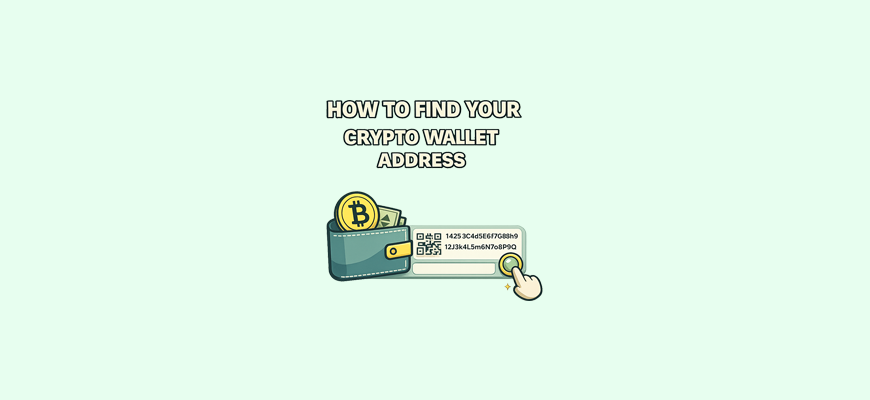
A crypto wallet address is a personal string of characters that lets you receive coins. It is always tied to your wallet, and you can safely share it with other people. To see your address, just open the coin you need and tap the “Receive” button. At that moment, the app shows a long line of letters and numbers, and next to it you will see a QR code. The QR code helps avoid mistakes when entering the address, especially if you do not want to type the characters by hand.
The address looks the same in all wallets, only the interface style is different. In some apps the button is on the main screen, in others it is inside the coin. But the principle is always the same, because any wallet must show you an address. Otherwise, you simply would not be able to receive crypto.
A simple example:
You call a courier to your home and tell them where to drive and which entrance to use. You do not give them the keys, you just share the location. A crypto wallet address works the same way. It shows where to send coins, but it does not give anyone access to your wallet. After the coins are sent, every transfer can be tracked on the blockchain using a transaction hash, which lets you see whether the payment was completed successfully.
When you tap “Receive”, the app automatically creates the correct address for the selected coin. You do not need to set anything up. The main thing is not to mix up addresses of different cryptocurrencies. A Bitcoin address works only for Bitcoin, an Ethereum address works only for Ethereum, and so on. It is easy to make a mistake if you rush, so always check the coin before copying the address.
Where to find the address in different types of wallets
Mobile and desktop wallets work almost the same way. To find the address, open the app, choose the coin, then tap “Receive”. You will immediately see a string of characters and a QR code. These wallets usually make everything as clear as possible so even a beginner can figure it out quickly.
On exchanges, things are set up a bit differently. The address is located in the “Deposit” or “Add funds” section. First you choose the coin, then the network, and only after that the exchange shows your address. Exchanges often support multiple networks, so do not rush. The same coin can have several address options, and it is important to choose the right one.
In hardware wallets, the address is always shown through a companion app. For example, Ledger or Trezor display your address in the app or on the website, and then ask you to confirm it directly on the device. This is protection against address substitution. If you see the address on the device screen and it matches the one in the app, everything is fine.
How to make sure you found the correct address
Before using an address, it is important to double-check a few things. First, make sure you selected the correct coin and the correct network. A network mistake is the most common reason funds get lost. For example, someone sends a coin on the ERC20 network, while the receiving side expects it on the BEP20 network. As a result, the funds disappear.
The next step is to compare the beginning and the end of the address. Checking every character is hard, but comparing the first 4 and the last 4 characters is easy. This way you make sure you copied the exact address you saw on the screen.
If you use a QR code, the chance of error drops to almost zero. Scanning removes the human factor, because you do not type anything manually and do not risk mixing up characters.
An address always belongs to your wallet if you opened it inside your coin. What you see after tapping “Receive” is your personal address. No extra confirmations are needed. Wallets do not generate someone else’s addresses, they show only yours.
What to do if the address is not displayed
Sometimes you tap a coin, expect to see an address, and suddenly realize it is not there. This happens, and it is normal. The most common reason is that the wallet does not support the selected coin. Many apps work only with popular cryptocurrencies, and if the coin is rare, the address simply will not appear.
Another reason is choosing the wrong network. Some wallets show an address only for specific networks. If you switch the network, the interface may hide the address to prevent mistakes.
The address can also be hidden inside an extra menu. Sometimes there is a button like “Show details” or “Advanced”. People often miss it because they expect the address to appear right away. Developers sometimes hide it there to keep the interface clean.
If the address does not show up, try closing the app and opening it again. In rare cases, updating the wallet helps, or switching to another coin and then back. Do not panic. A missing address is a small technical detail, not an access problem.
How to safely use the address you found
You can freely send the address to another person, show it, copy it, and paste it. This is completely safe, because the address does not give access to your wallet. It has one function, receiving coins. You can publish it, save it in notes, or send it in messages.
But do not confuse the address with a private key or a seed phrase. These must always be kept secret. If you share private keys with someone, they get full access to your wallet. An address does not give such access.
To avoid substitution, always check the beginning and the end of the address before sending funds. Sometimes computers or browsers can replace copied text, especially if there is malware. A quick check of a few characters can save your money.
If you use an address often, you can save it somewhere convenient, but always verify it before using it. Mistakes happen not because crypto is complicated, but because of rushing. Carefulness is the main rule of security.
Conclusion
A crypto wallet address is the point where other people can send you coins. It helps you receive cryptocurrency, and finding it takes just a few seconds once you understand the interface logic. After figuring it out once, you can easily navigate any wallet and confidently use your funds. Now you know what an address is, where to find it, how to check it, and how to use it safely. This small detail makes using crypto clear and calm, and working with a wallet stops causing fear or doubt.