You no longer need a bank to send or receive money, Telegram has become your personal digital wallet. But this pocket does not open with a zipper, it opens with a precise sequence of actions. Mistakes are not forgiven here, tap the wrong button and the funds are gone. Want to avoid that scenario? Then you need to act clearly.
How to withdraw money from a Telegram Wallet
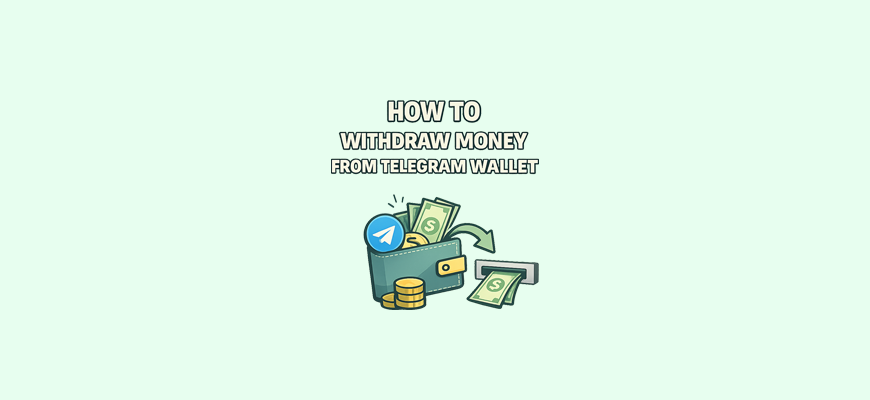
Telegram Wallet is a built-in crypto wallet right inside your Telegram. Yes, the messenger is no longer just for chats, it is also for money. The wallet does not store familiar dollars, it stores the digital currency Toncoin (TON). That is the money you received.
But here is the nuance. TON is not regular money. It is cryptocurrency, and you cannot just send it to a bank card. Like Bitcoin and other cryptocurrencies, TON exists in limited supply — coins are not printed endlessly, which is one of the key differences from regular money. You cannot tap “withdraw” and get dollars like in a banking app. Everything works a bit differently. First, TON needs to be exchanged. Only after that can you get regular dollars on your card.
Imagine you were gifted bills that are only accepted at an exchange booth. First you find someone who can exchange them, and only then you get regular money. Telegram Wallet works the same way.
Right now there are three main ways to do this:
- sell TON to other people directly inside Telegram, right in the wallet;
- send crypto to a crypto exchange and exchange it there;
- use third-party exchangers.
All options work. The main thing is to choose the method that is convenient for you and not rush. Most mistakes happen because of haste.
Ways to withdraw funds from Telegram Wallet
The first method is a built-in P2P marketplace. This is when you sell your crypto directly and receive a card payment. For example, you say: “Selling 100 TON, card payment accepted.” The buyer agrees, sends you the money, and you confirm the crypto transfer. Simple and convenient. The key thing is to carefully choose who you sell to. There are ratings and reviews, like on a classifieds site.
The second way is transferring to a crypto exchange. You register on the exchange, send TON there, exchange it to dollars, and then withdraw to your card. It takes a bit longer, but it is safer, especially if you plan to work with crypto regularly. Bybit handles this very well.
The third way is exchangers. These are services where you can instantly exchange TON for dollars that are sent to your card. It looks simple: you send TON, and you get money right away. But here you need to be careful, choose trusted exchangers and always check the rate and fees.
Each method is convenient in its own way. Some choose speed (exchangers), some reliability (exchange), some simplicity (card payments inside Telegram). The choice is yours.
How to withdraw money via card payments inside Telegram
The built-in card marketplace is the simplest and most understandable option for beginners. Everything happens right inside Telegram, in your wallet. No need to go anywhere or download anything. The main thing is to stay careful.
First, you open Telegram Wallet, choose “Sell”, and enter the amount you want to exchange. Then you choose how you want to receive the money, card payment, instant transfer, or other available options.
After that, a list of buyers appears. Each has a name, rating, and number of completed deals. It is better to choose those with a high rating and many successful trades, it is more reliable. Once you choose, a deal is created.
At this moment, TON is locked. You cannot move it anywhere until the deal is completed. This is called escrow. The buyer sends you the money, and you check if it has arrived. Only when everything is confirmed do you tap “Confirm”, and the crypto is released to the buyer.
Important: never tap “Confirm” if the money has not arrived yet. Even if you are being rushed or promised “in a minute”.
If you are nervous, start small. For example, try withdrawing 5–10 TON first. Practice and see how the process works. After that, you can confidently work with larger amounts.
How to transfer crypto from Telegram Wallet to an exchange
If you want to use crypto seriously, it is better to learn how to transfer it to an exchange. It is safe, efficient, and gives you full control.
First, you sign up on the Bybit exchange. You go through a simple setup, enter your email, create a password. Just like in any regular service.
Next, go to the “Deposit” section, choose TON as the cryptocurrency and select the TON network. This is important. You will get an address, a long string of characters. This is your personal wallet address on the exchange.
Now go back to Telegram Wallet, choose “Send”, paste this address, enter the amount, and confirm. In a few minutes, TON will appear on your exchange balance.
Now you can sell the crypto there. You choose “Sell”, select dollars, complete the trade, and receive the money on your card. That is it, the withdrawal is complete.
Mistakes usually happen in one place, choosing the wrong network. For example, sending TON to the BEP20 or Ethereum network. Do not do that. Always use the TON network.
Fees and limits when withdrawing
Crypto is not free. But it is not expensive either, if you do everything correctly.
Inside Telegram Wallet, the transfer fee is minimal, usually less than 0.1 TON, which is under $0.10. When selling via card payments, there is usually no platform fee.
On an exchange, fees depend on the withdrawal method. Sometimes it is 1%, sometimes a fixed amount. When selling TON, a fee may also apply, but it is usually already included in the rate you see.
If you use exchangers, always check the rate and the final amount. Some hide fees inside the exchange rate. It is better to compare 2–3 exchangers before choosing.
There are also limits. For example, you cannot sell less than 1 TON. Some buyers do not accept less than 10 TON. So if you have a small amount, it may be better to accumulate rather than rush to withdraw.
Checklist before withdrawing
Before tapping “Sell” or “Send”, stop and go through a short checklist.
Check which network the wallet uses. Telegram Wallet works on the TON network, so both transfers and sales must use this network.
Copy the address twice. Make sure it is correct and has no extra spaces. It is better to paste it directly into the required field.
Check the rate. Sometimes it jumps, and you might accidentally sell TON cheaper than you could using another method.
Check who you are dealing with. For card payments, look at ratings. For exchangers, check reviews. On exchanges, double-check the network.
If you are afraid of making a mistake, what should you do:
The simplest advice is to start small. Take 5 TON and try to withdraw it. It is better to lose a few cents on fees than your entire amount because of one rushed move.
Conclusion
Telegram Wallet is like a small bank right in your phone. It does not replace a card, but it opens new possibilities. Storing money, receiving transfers, and most importantly, withdrawing it into real dollars.
Withdrawing from a Telegram wallet is just a chain of actions: find a buyer, send crypto, receive money. Or send it to an exchange, exchange it, and withdraw. Every step is clear if you do not rush.
A bit of attention and practice, and you already know how to use cryptocurrency. And all of this happens right inside your messenger.